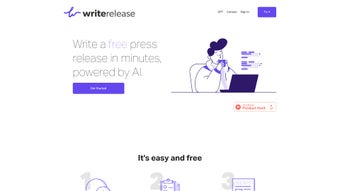

Download Writerelease – AI‑Powered Press Release Generator, Free & Secure
Overview
Writerelease is a web‑based AI writing assistant built specifically for creating professional press releases in minutes. By guiding users through a short questionnaire, the platform captures the essential details of a news announcement—who, what, when, where, and why—and then leverages advanced language models to craft a polished, news‑room‑ready release. The tool was created by veteran storytellers from a leading media‑relations firm, ensuring that every output respects journalistic standards, follows the inverted‑pyramid structure, and includes the right tone for your target audience.
As a completely free service, Writerelease removes the barrier of hiring costly copywriters or spending hours learning press‑release conventions. Whether you’re a startup founder announcing a funding round, a nonprofit sharing a milestone, or a corporate marketer launching a new product, Writerelease delivers a ready‑to‑publish document that can be exported as plain text, PDF, or directly copied into a distribution platform. Its intuitive interface, secure cloud processing, and regular AI updates make it a reliable ally for anyone who needs to communicate news quickly, accurately, and professionally.
Core Features of Writerelease
- AI‑Driven Content Generation: Utilizes state‑of‑the‑art language models trained on thousands of real press releases.
- Guided Questionnaire: Simple, step‑by‑step prompts capture key details without requiring writing expertise.
- Industry‑Standard Formatting: Automatically structures headlines, sub‑heads, boilerplate, and quotes according to PR best practices.
- Multilingual Support: Generates releases in English, Spanish, French, German, and more, expanding global reach.
- Export Options: Download as .txt, .docx, or PDF, or copy directly to clipboard for instant publishing.
- Real‑Time Editing: Inline suggestions let you tweak tone, length, or keyword density before finalizing.
- Secure Cloud Processing: All data is encrypted in transit and never stored longer than necessary.
- Free Unlimited Access: No hidden fees, premium tiers, or subscription required for core functionality.
- Regular AI Updates: The engine receives monthly improvements to stay aligned with evolving media trends.
- Collaboration Friendly: Share a secure link with teammates for review and co‑authoring.
Installation, Usage & Compatibility
Because Writerelease is entirely web‑based, there is no traditional installation process. Simply open your preferred browser, navigate to www.writerelease.com, and you’re ready to start. The platform is optimized for modern browsers such as Chrome, Firefox, Edge, and Safari, ensuring a consistent experience on Windows 10/11, macOS Monterey and later, as well as mobile browsers on Android and iOS. For best performance, we recommend a stable internet connection and a screen resolution of at least 1024 × 768.
Step‑by‑Step Guide
- Create a free account: Provide an email address and set a password, or log in with Google/Apple for one‑click access.
- Start a new project: Click “New Press Release” and select a template (e.g., product launch, event announcement, financial update).
- Answer the questionnaire: Fill in concise responses to prompts about your news, target media, key messages, and quotes.
- Generate the draft: Press “Create Release.” Within seconds the AI composes a complete document, highlighting headline options and a summary.
- Refine the output: Use the built‑in editor to adjust tone, insert additional data, or reorder sections. Real‑time suggestions appear on the right‑hand panel.
- Export or share: Choose your preferred file format, download, or copy the text. You can also generate a shareable link for colleagues to review.
- Publish: Paste the final version into your PR distribution service (e.g., PR Newswire, Business Wire) or send directly to journalists.
Writerelease works on any device with a modern web browser, including Windows PCs, macOS laptops, Linux desktops, Android tablets, and iOS smartphones.
Pros, Cons, FAQ, and Final Verdict
Pros
- Completely free with no hidden costs.
- AI generates high‑quality, news‑room‑ready copy in seconds.
- Intuitive questionnaire removes the need for copywriting expertise.
- Multilingual output expands global communication.
- Secure, cloud‑based processing protects confidential information.
- Export options suit any workflow, from email to PDF distribution.
Cons
- Limited customization for highly niche industry jargon.
- No built‑in media‑list integration; users must upload contacts separately.
- Relies on an internet connection; offline use is not available.
- Advanced styling (e.g., brand‑specific templates) requires manual editing after export.
Frequently Asked Questions
Is Writerelease really free?
Yes. All core features—including AI generation, export options, and multilingual support—are completely free. There are no hidden fees or subscription tiers.
How secure is my data when I use the tool?
Writerelease encrypts all data in transit using HTTPS and automatically deletes your input after the session ends. No personal or corporate information is stored long‑term.
Can I customize the tone of the generated release?
Absolutely. After the AI produces the draft, you can adjust the tone slider (formal, conversational, or technical) and make manual edits directly in the built‑in editor.
Does Writerelease support SEO‑friendly keywords?
Yes. The AI suggests relevant keywords and places them naturally within the headline, sub‑headline, and body, helping your release rank better in search results and media monitoring tools.
What browsers are recommended for the best experience?
We recommend the latest versions of Google Chrome, Mozilla Firefox, Microsoft Edge, or Apple Safari. All major browsers on desktop and mobile are fully supported.
Conclusion & Call to Action
Writerelease bridges the gap between the need for swift, professional communication and the scarcity of specialized writing talent. Its AI engine delivers consistently high‑quality press releases while keeping the process frictionless and cost‑free. For marketers, PR specialists, and entrepreneurs who must move quickly, the platform offers a secure, browser‑based solution that can be accessed from any device.
While power users may miss deeper template customizations, the overall value proposition—free, fast, and reliable—makes Writerelease a standout tool in the crowded AI‑writing market. Ready to craft your next headline‑making announcement? Start generating your press release now and experience the speed of AI‑enhanced storytelling.
Writerelease offers a powerful, free AI solution that dramatically reduces the time required to produce polished press releases. Its guided workflow, multilingual capabilities, and secure cloud processing are especially impressive for small teams and startups.



.png)



